
Scribble Maps Blog
See the Sun on Any Roof: The Solar Analysis Kit
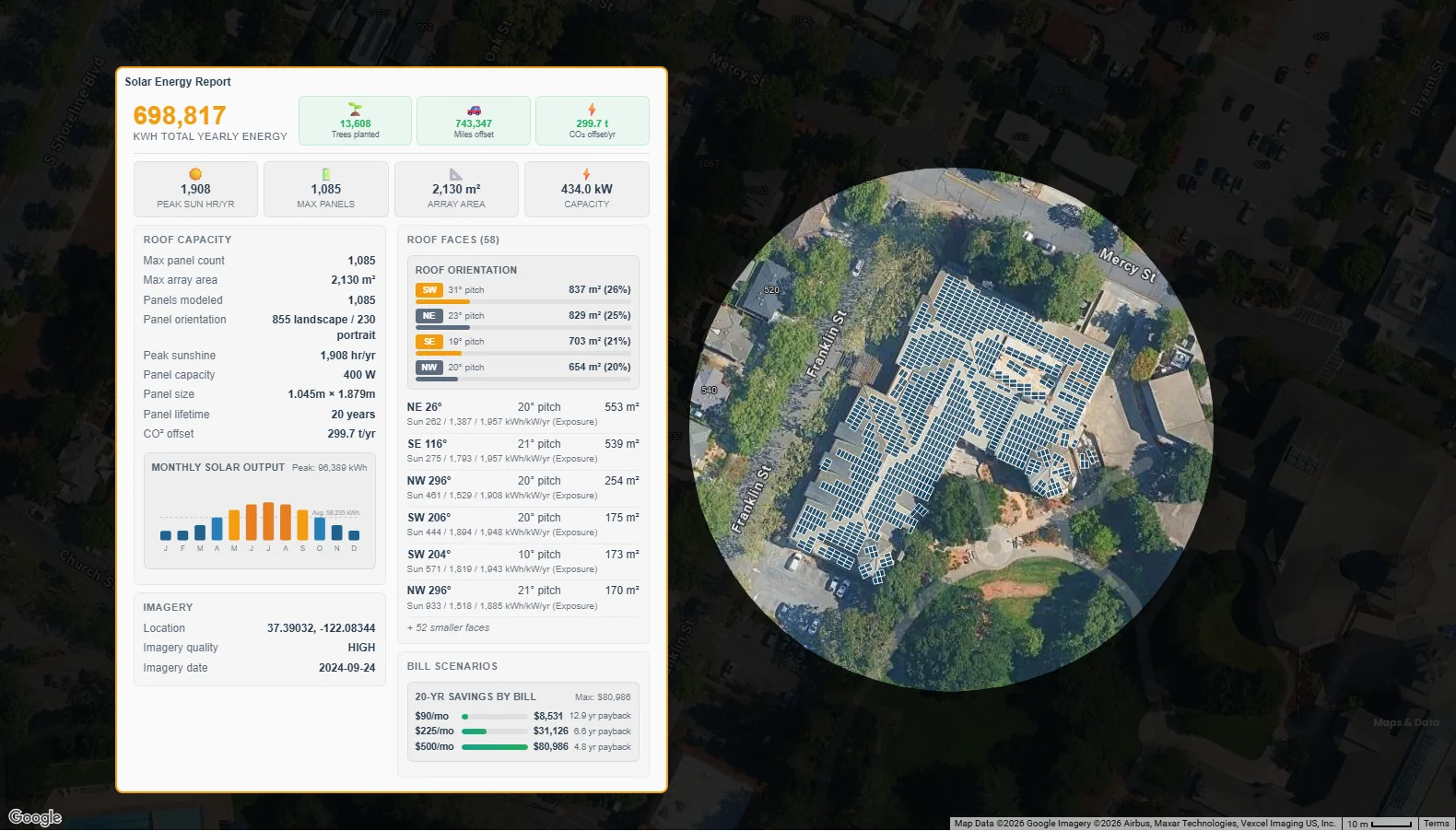
Every solar project starts with the same questions. How many panels fit on this roof? How much power will they make? Which faces get the most sun? And how long until the system pays for itself? Getting those answers has usually meant a site visit, a design tool built for installers, or a quote from a company that wants to sell you something.
The Solar Analysis kit answers them in seconds. Point at a roof, click once, and Scribble Maps lays the panels on the roof and puts a full solar report on your map, right beside them.
How it works
- Open the kit. Click Kits and pick Solar. You can also find Solar Analysis in the Launch Pad or in Maps & Data.
- Aim at a roof. Move the map so the crosshairs sit on the house or building. The map switches to satellite imagery if it is not on it already.
- Click Get Report Here. That is it.
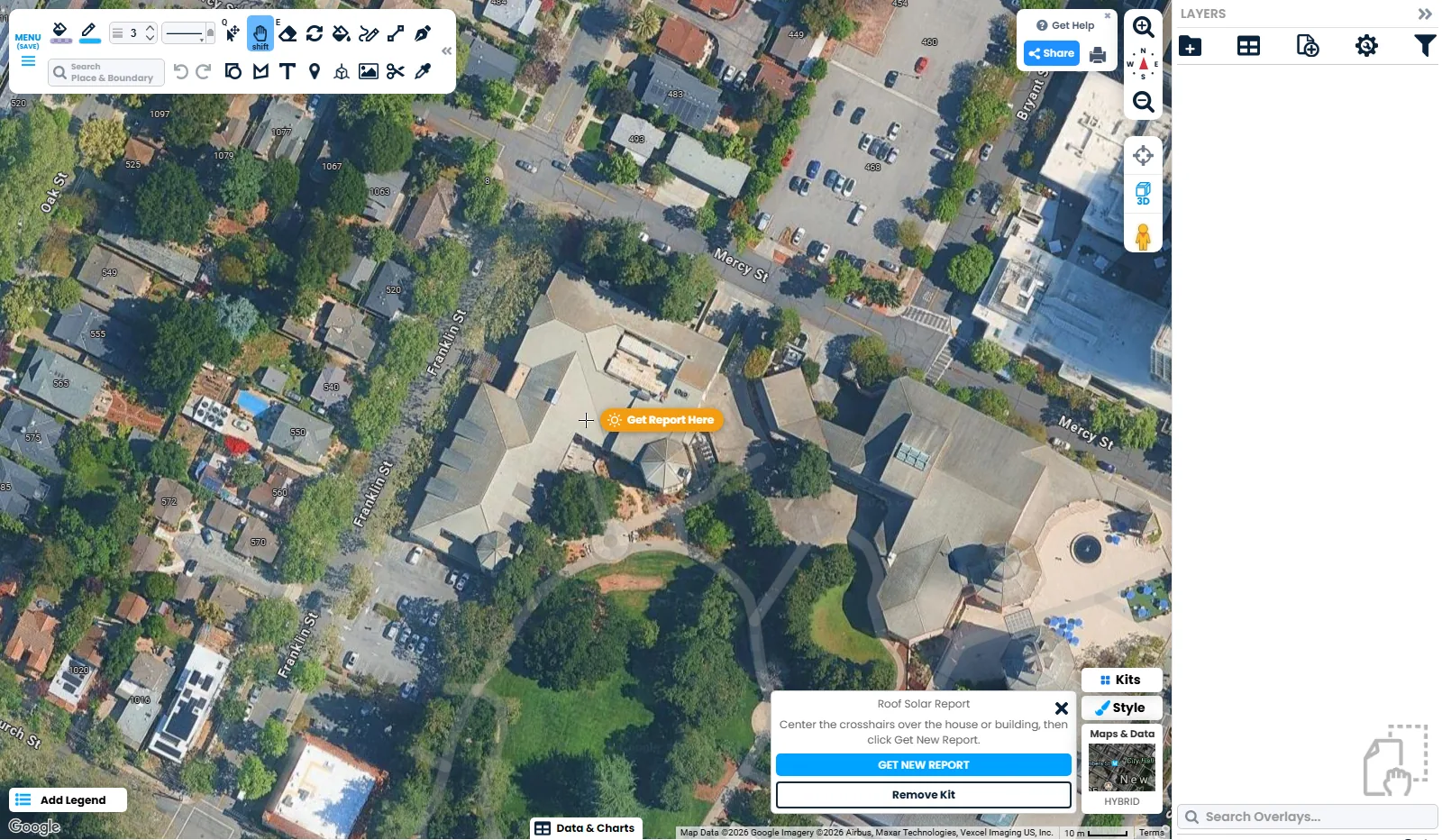
In one step the kit adds three things to your map:
- The panels. One rectangle for every panel that fits, placed on the roof faces where it makes sense to put them. Each panel keeps its own yearly energy and orientation.
- The report. A full solar report, placed on the map next to the building and saved with your map.
- A clean frame. The map is cropped to a circle around the project, so it is ready to share, print or drop into a proposal.
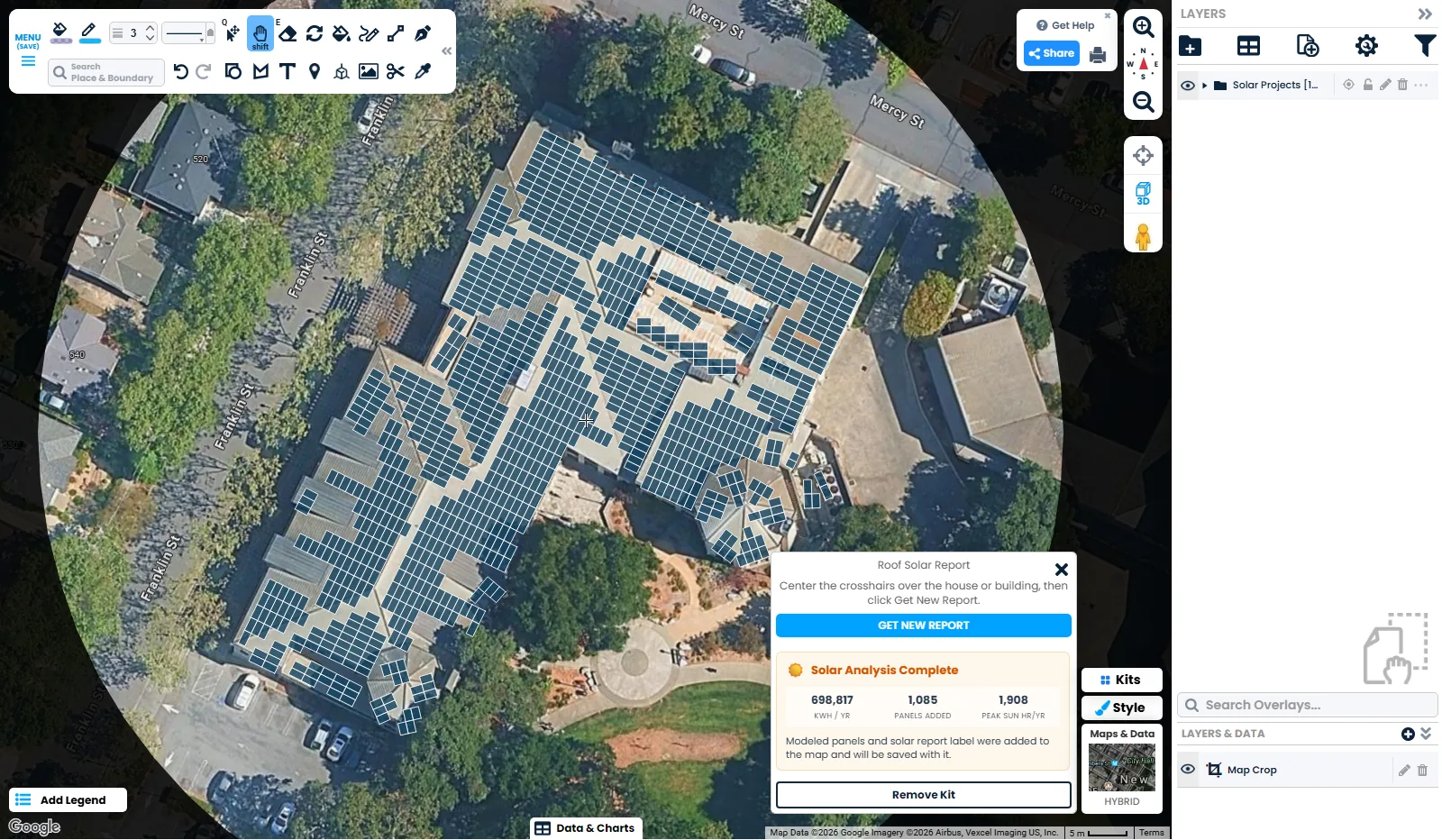
Changed your mind? One undo removes all of it.
What is in the report
- Yearly energy. How many kWh the whole system can make in a year, and what that means in trees planted, miles of driving offset and tonnes of CO₂ saved.
- The system. Peak sun hours, the number of panels, the array area and the total capacity in kW.
- Month by month. A chart of solar output for each month, so you can see the summer peak and the winter low.
- Every roof face. Each face with its direction, pitch, area and sun exposure, plus a summary of how much roof faces each way.
- Savings. For US addresses, 20-year savings and payback time for a low, a middle and a high monthly power bill.
- The imagery. The date and quality of the imagery behind the report, so you know how current it is.
The library in these pictures is a big one: 1,085 panels, 434 kW of capacity and almost 700,000 kWh a year. A typical house takes a few seconds and comes back with a report just as complete.
Need more than one building? Move the crosshairs and click Get New Report. Each report gets its own folder, label and circle, so you can map a whole street, a campus or a portfolio of properties on one map.
Ask Scribble AI
You do not even need to find the roof yourself. Ask Scribble AI something like "give me a solar report for 585 Franklin St, Mountain View" and it opens the kit, moves the map to the building and runs the report for you.
Who it is for
- Solar installers and sales teams: show a prospect their own roof covered in panels, with the energy and savings beside it, before you ever visit.
- Homeowners: find out whether your roof is worth it before you call anyone.
- Property managers and building owners: compare solar potential across every building you manage on one map.
- Schools, cities and nonprofits: find the public roofs with the most potential and share the map with your board.
- Real estate professionals: add a solar report to a listing as a selling point.
- Roofers: pair it with the Roofing kit to measure the roof and show its solar potential in the same visit.
Where the data comes from
Solar Analysis is built on Google's Solar API, which models each roof in 3D from aerial imagery and works out how much sun every part of it gets over a year. Every report shows the imagery date and quality it was built from.
These are planning estimates, not a design or a quote. Shade from new trees or buildings, local power rates and the panels you choose all change the real numbers, so have an installer confirm a system before you buy.
Try it
Solar Analysis is included in Pro Business, alongside every other Scribble Maps kit. Open the editor, click Kits, pick Solar, and aim at a roof. Not on Pro Business yet? See the plans.
For a full walkthrough, read Solar Analysis - Roof Solar Report and Panel Layout in the help center.