
Scribble Maps Blog
Learn Scribble Maps with Scribble: Free Courses, Tutorials and Certifications
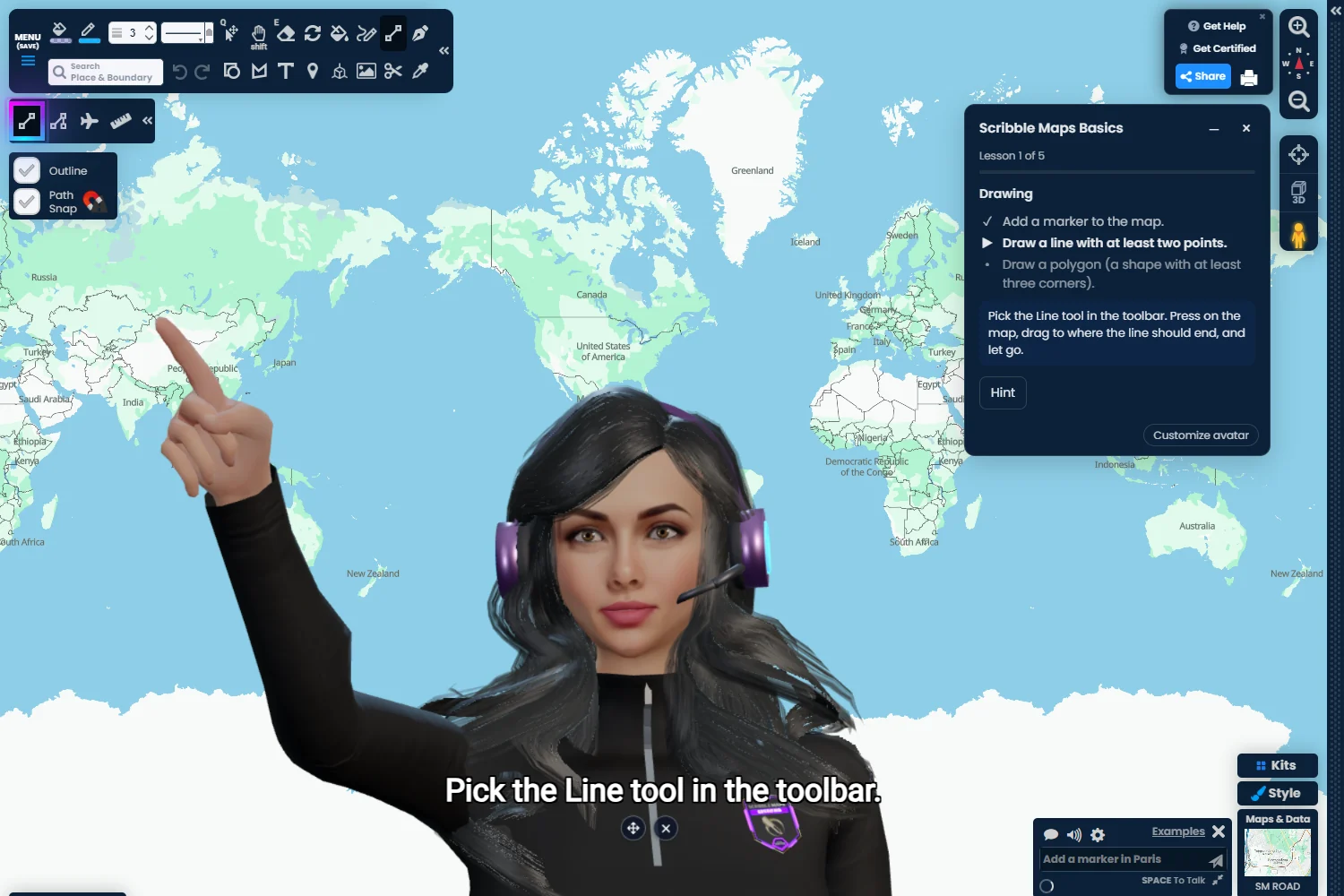
Most people learn a map tool the hard way. They click around, watch a video, and forget half of it by the next day. We wanted something better: a teacher who sits next to you, watches what you do, and tells you when you got it right.
So we built one. Training by Scribble is now in the Scribble Maps editor. Scribble, our AI assistant, teaches you step by step on a real map. You do the work. Scribble checks it and gives you a hint when you are stuck. When you finish a level, you earn a certification you can share.
You learn by doing
Every course runs on your own practice map. Each step asks you to do one thing, like add a marker, draw a polygon or change a line color. The step is done when the map shows it, not when you click Next.
- Scribble guides you. She talks you through each step out loud and points to the right button. She will not do the task for you, but she will explain how.
- Help when you need it. Press Hint on any step. If you draw a line when the step asks for a polygon, Scribble tells you what to change.
- No quiz to get started. Silver lessons end when the work on the map is done, so you can be up and running in minutes. GIS 101 and the Gold and Platinum courses end each lesson with a short quiz, which you can answer by clicking, typing or just telling Scribble.
- Your progress is saved. Close the panel at any time and pick up where you left off. The Last worked on card takes you straight back.
Scribble comes as a woman or a man. Choose Customize avatar to pick one, change the look, and change the voice.
Courses: from your first marker to GIS

Courses are grouped by the certification they count toward. These are ready now, and they are free for every account:
- Silver 1: Scribble Maps Basics; Markers, Labels and Popups; Sharing and Embedding Maps.
- Silver 2: Shapes, Text and Freehand; Styles and Base Maps; Legends, Printing and Images.
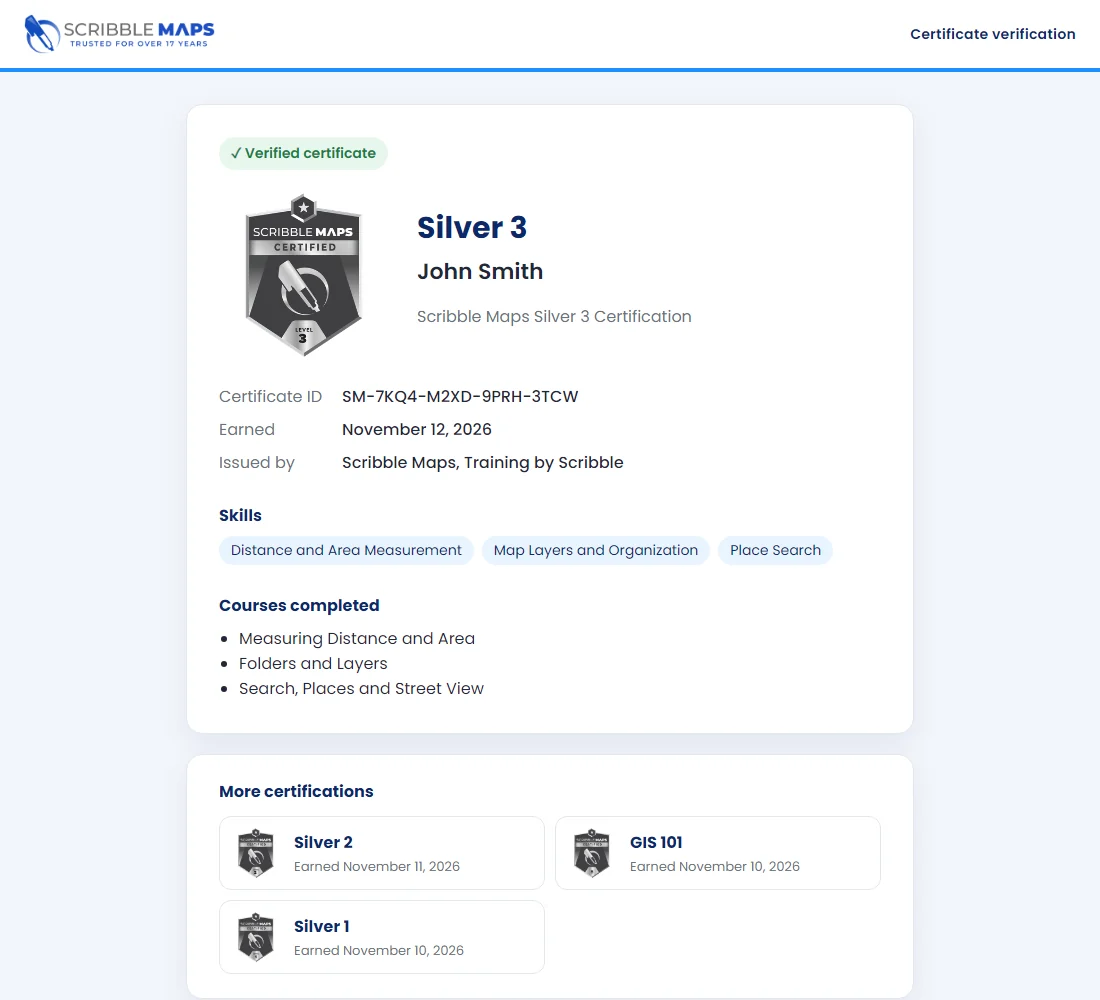
- Silver 3: Measuring Distance and Area; Folders and Layers; Search, Places and Street View.
- GIS 101: Location, Scale and Projections; Spatial Data; Spatial Analysis and Data Quality. Learn coordinates, map scale, why flat maps stretch the Earth, and how far to trust your data.
Most courses take 10 to 15 minutes. Gold (Pro Basic) and Platinum (Pro Business) cover lists, GIS files, thematic maps, routes, live data, territories, map kits, teams and the API. They are coming soon.
There are also courses for our map kits. The first is Indoor Maps (Pro Business). You start a venue, add a floor, draw a shop and give it a door, fill in the store directory, and see the building in 3D.
Tutorials: one task, right now
Need to do one thing today? Tutorials are short how-tos, like Import a list, Add a legend or Get driving directions. A tutorial runs on the map you already have open. Scribble shows you where to go and checks each step, and a finished tutorial counts toward its course.
Whiteboard lessons: the ideas behind the map

Some things are easier to understand with a picture. In a Whiteboard Lesson, Scribble turns your map into a whiteboard and teaches a topic picture by picture. The part she is talking about glows, and she points the way with her laser pen. Each picture ends with a quick task: tap the right part, drag cards into place, or pick an answer.
Start with How GPS Works, Vector vs Raster Data or AI & LLMs. Whiteboard lessons are free for every signed-in account, and your map opens again when the lesson ends.
Earn certifications and show them off

Every account starts with the bronze New User badge. Finish all three courses in a level to earn its badge, from Silver up to Gold, Platinum and Master. Levels open in order, and GIS 101 is open at any time. Your level shows in your account settings.
Every certification comes with a real certificate:
- Download a PDF with your name, the date and a QR code, ready to print.
- Add it to LinkedIn in one click, with Scribble Maps as the issuer.
- Share a link to its page at verify.scribblemaps.com. Anyone can see that it is real, which courses it took and the skills it covers. Your email address is never shown.
Training for your team
On a Scribble Maps team, owners and admins can see each member's level, certifications and progress on the team portal's Training page. They can assign courses, tutorials and whiteboard lessons with a due date, and see who is overdue. Members are told that their team admins can see their progress.
Want a certification of your own? Our Custom Certs are built with you from Scribble Maps courses and whiteboard lessons on your company's processes. New staff learn the tools and your way of working in one place. Open the Custom Certs tab and click Contact us.
In your language
Training follows the language you pick in the editor. The courses and tutorials are translated into 87 languages, and Scribble speaks with you in yours.
Start learning
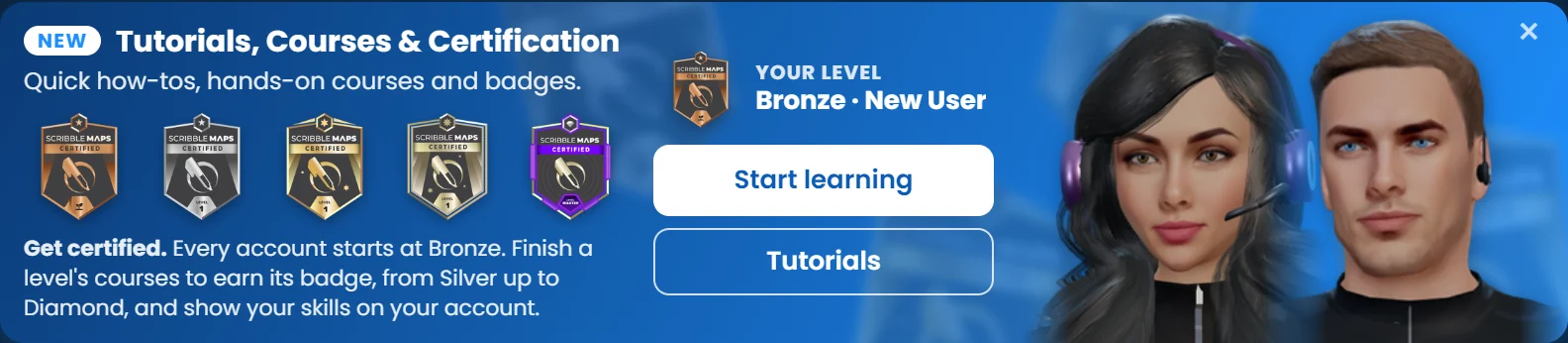
Open the editor at scribblemaps.com/create and click Learn at the top right of the map. If you have not taken it yet, your first course, Scribble Maps Basics, starts right away. You can also click Start learning on the Launch Pad, or just ask Scribble: "teach me the basics".
Sign in so your progress and your certificates are saved to your account.
For the details, read Training by Scribble: Hands-on Courses and Certifications and Share or Download Your Scribble Maps Certificate in the help center.